
Ping Bee
Watch the things a hosted monitor cannot reach.
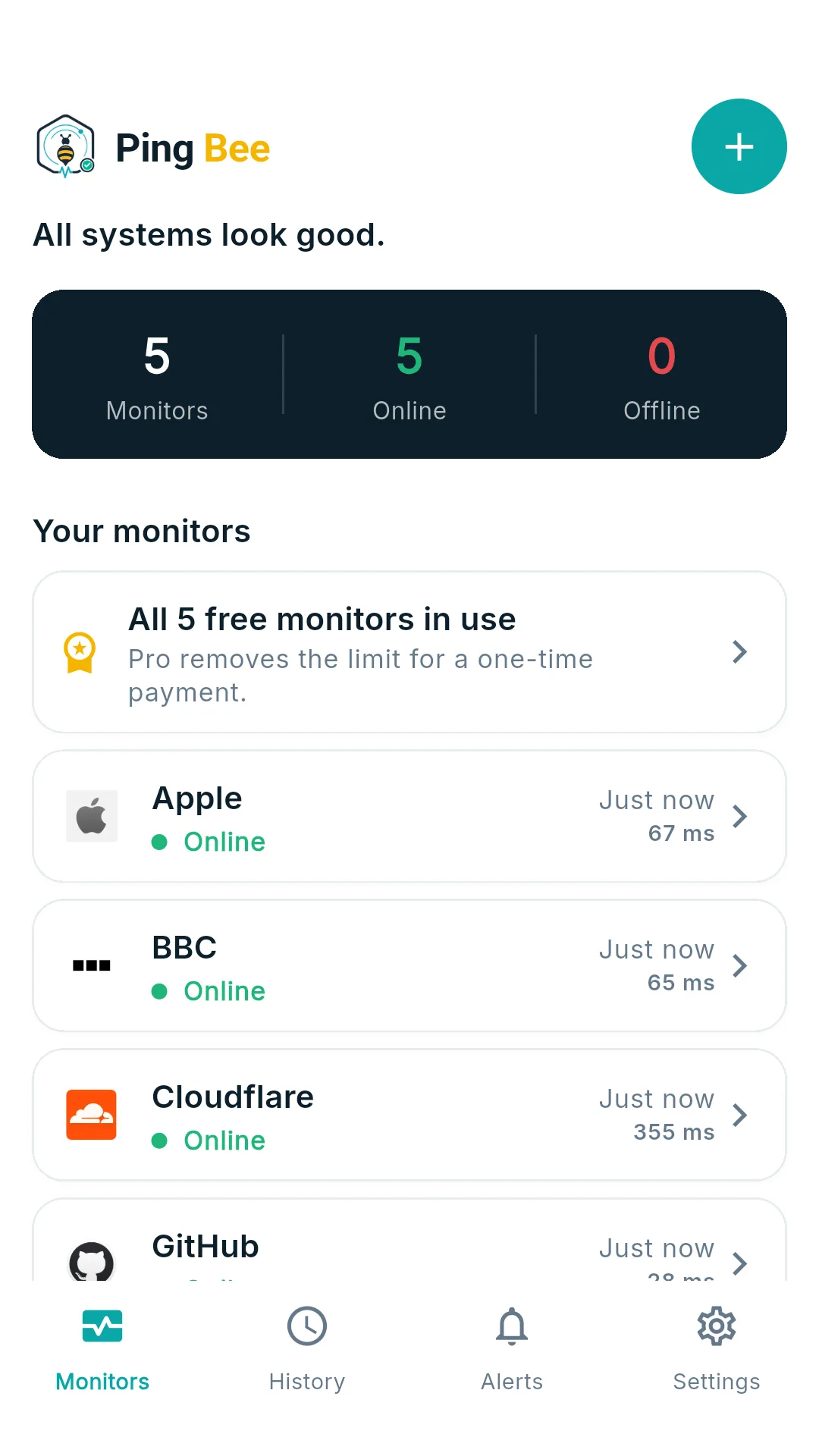
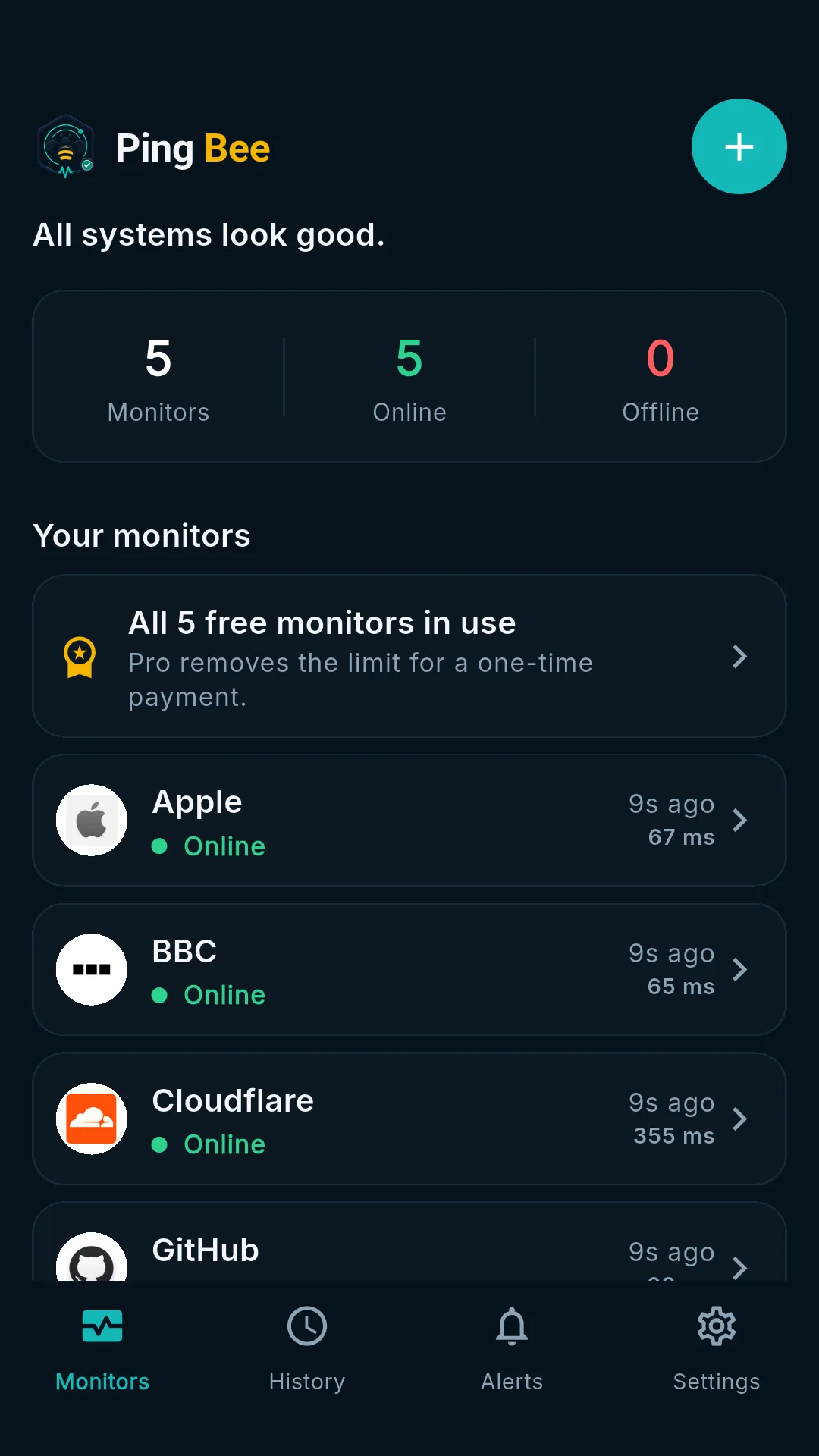
UptimeRobot cannot see your NAS. Ping Bee can, because it checks from your phone rather than from a datacentre — so anything your phone can reach is fair game: a homelab service on a LAN address, Home Assistant, the router admin page, and your public sites in the same list. Add a URL, pick an interval, done. No account, no sign-in, no configuration, and nothing leaves the device.
Every screen, in the order you would meet them
Pick a step to see the screen it belongs to — or leave it running.
What you get
A watchdog that lives on your phone — which is what lets it see your own network. Built for homelab and self-hosted setups, small agencies watching client sites, and anyone who would rather not hand a list of their sites to a monitoring company.
Reaches your own network
Because checks run from your phone, a private address works exactly like a public one. Point it at a NAS, Home Assistant, a Pi, a printer or a router admin page on your home wifi — no tunnel, no port forwarding, no exposing anything to the internet.
Public sites too, same list
Your own projects, a client's shop, the status page you depend on — added the same way, each with its own check frequency, sitting alongside the private ones.
Down and recovery alerts
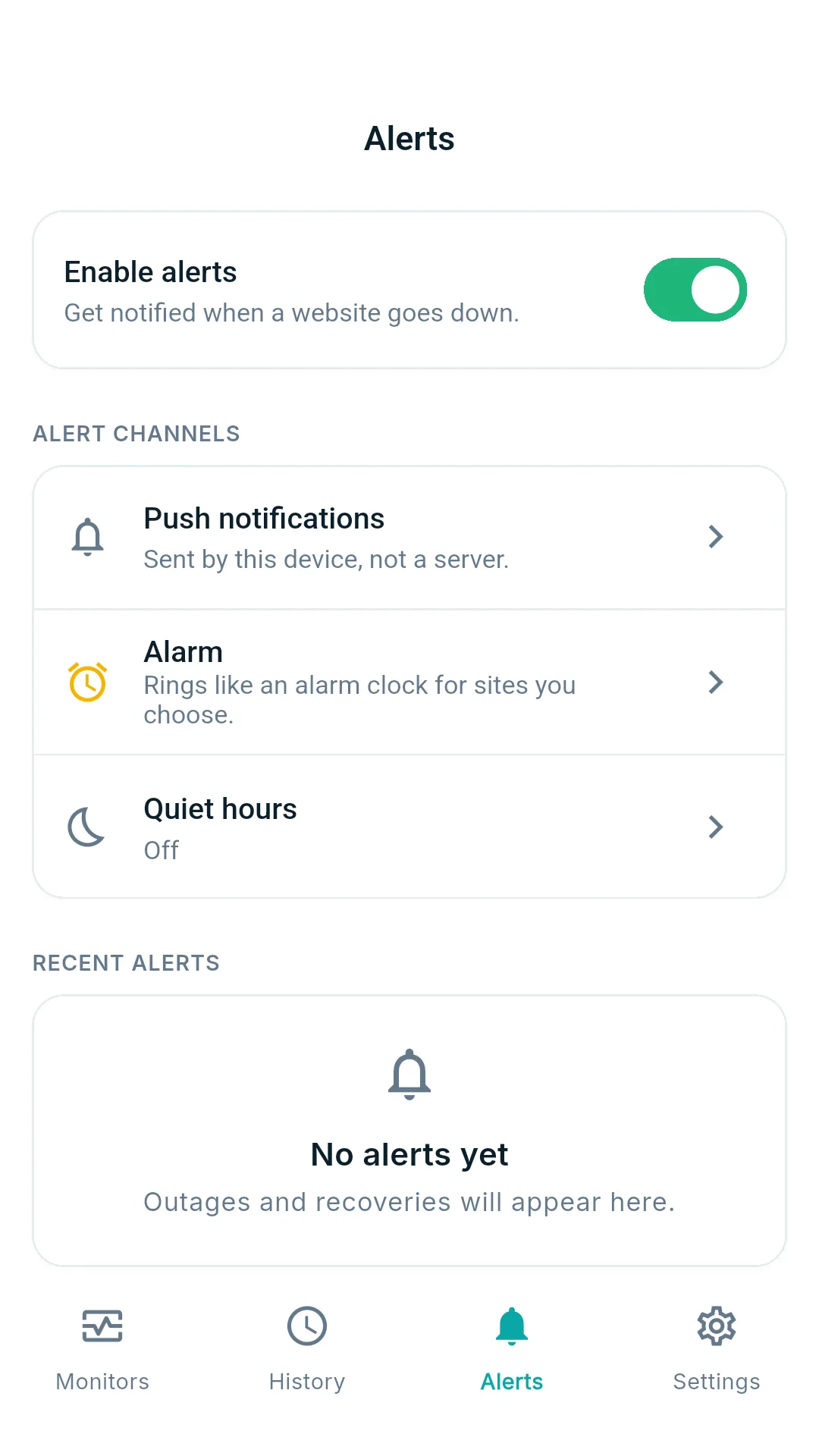
A notification the moment a check fails, and another when the site comes back. You are told both halves of the story, not just the bad half.
An alarm, not just a buzz
For critical sites, Ping Bee can ring like an alarm clock until you acknowledge it. Quiet hours keep it silent when you are off duty.
Uptime and response history
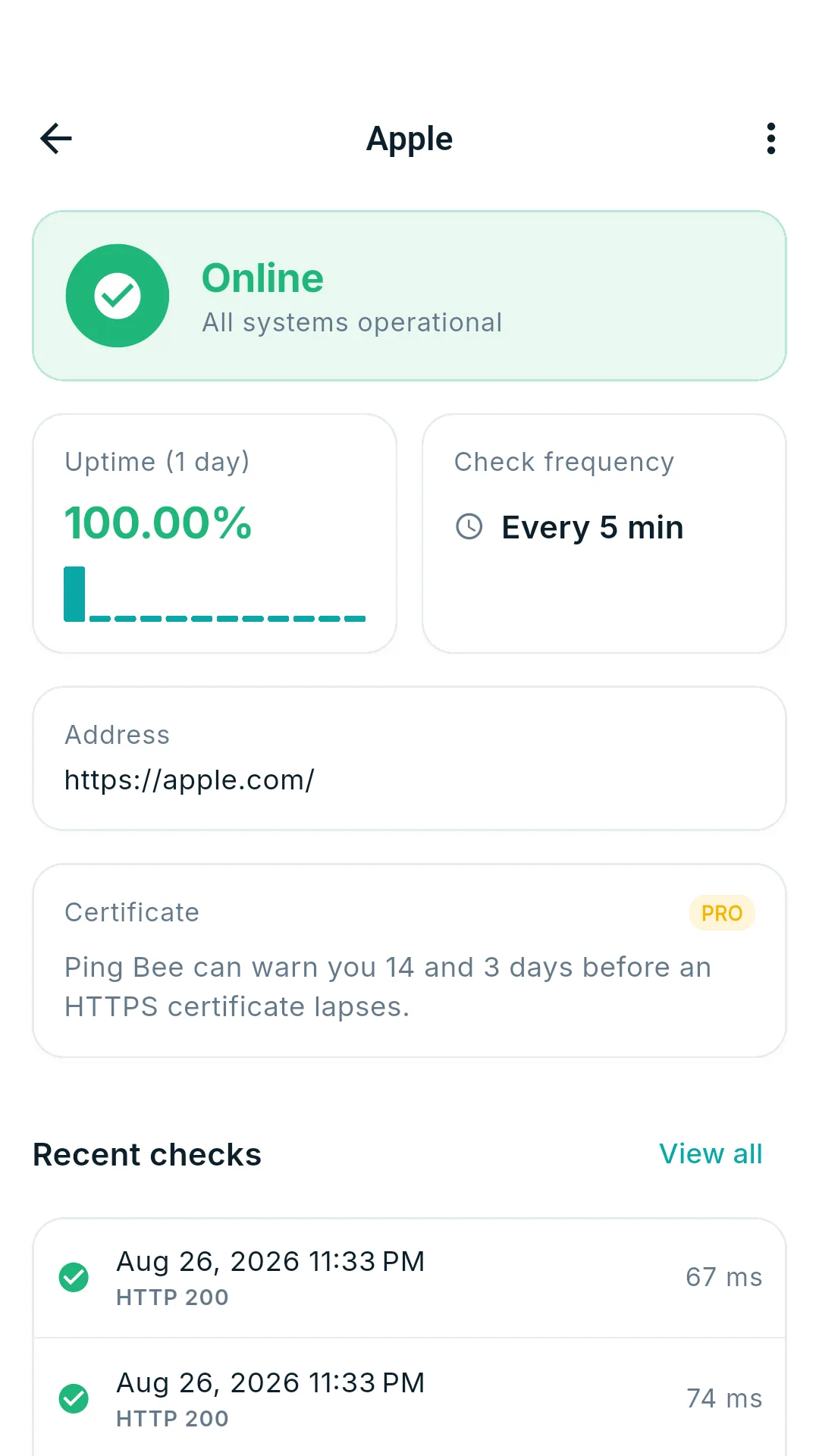
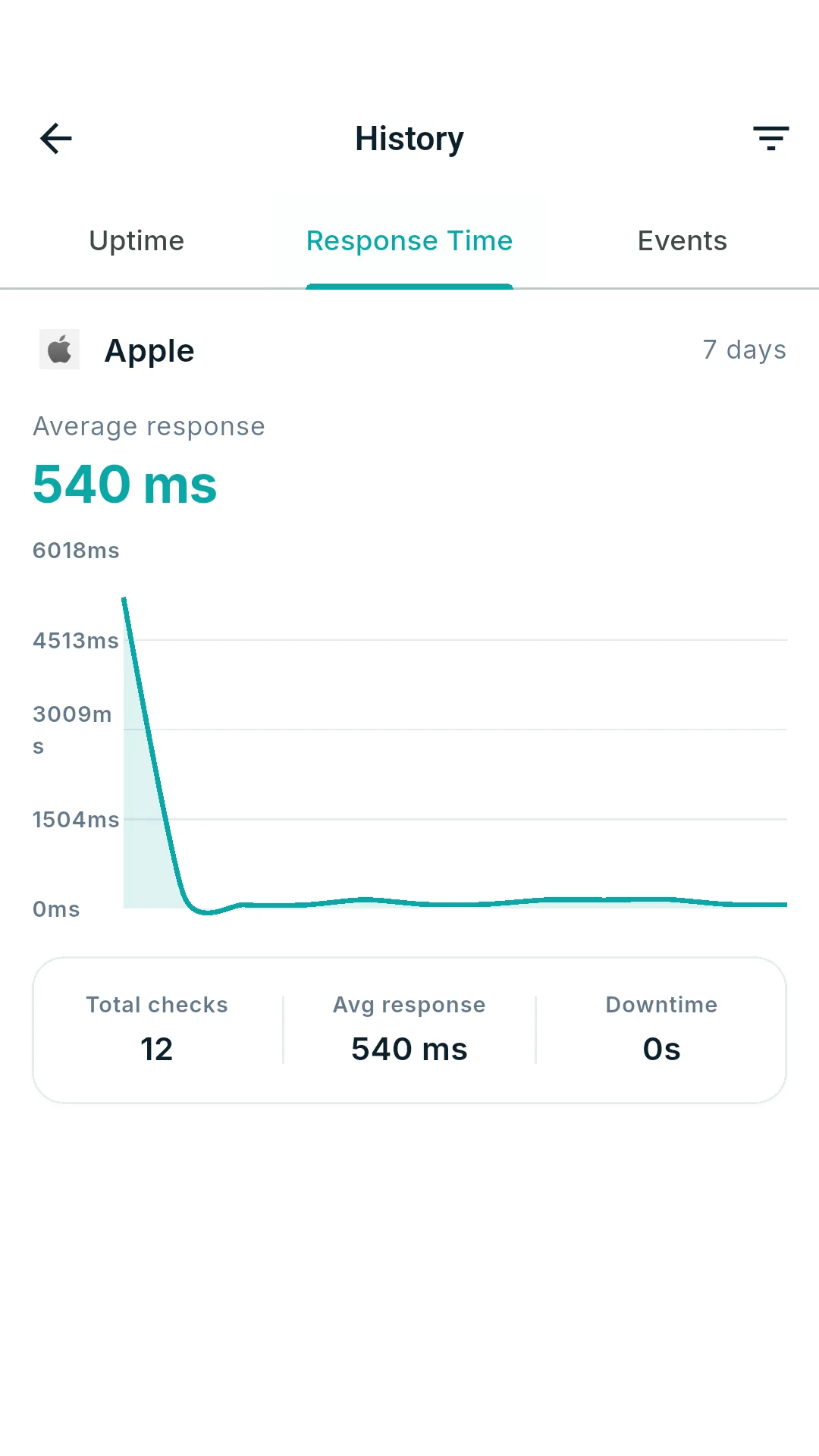
Charts for uptime percentage and response time, plus a chronological event log of every check, status code and outage.
Home screen widget
A live status list on your home screen with a tap-to-refresh button, so you can check without opening anything.
Private by design
No account, no server, no analytics. Your site list and check results never leave the phone — Ping Bee asks only for network access and permission to notify you.
Three taps to a watched site
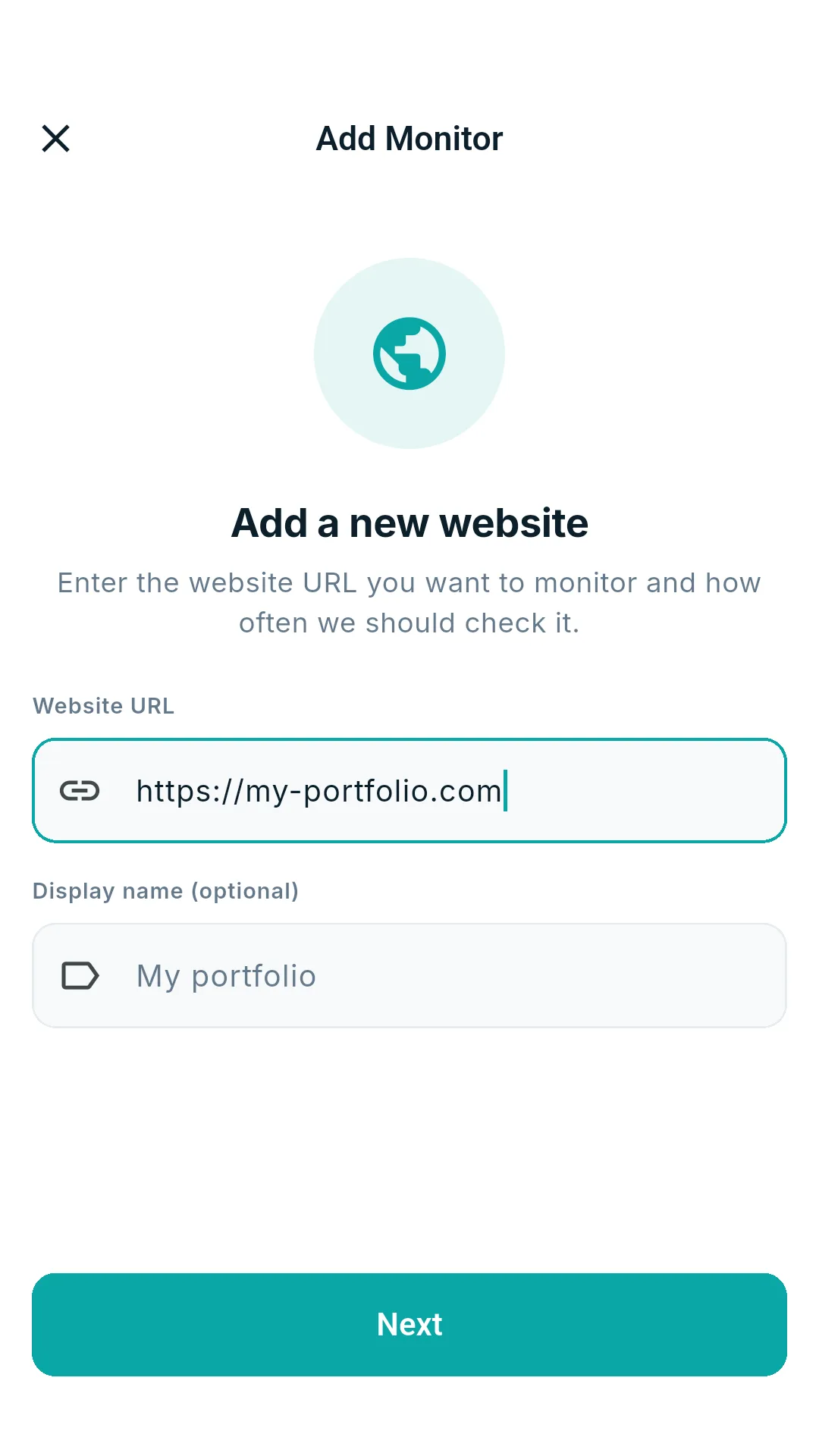
Add a URL
Paste the address you want watched — a public URL or a private one like http://192.168.1.50:8123. A display name is optional.
Pick an interval
Choose how often that site should be checked. Each monitor gets its own frequency.
Choose how you are told
Push notification for most sites, the ringing alarm for the ones that matter most.
Leave it running
The dashboard, widget and history fill in on their own. You only hear from Ping Bee when something changes.
Worth knowing before you install
Checks run on your phone, not on a server, and that cuts both ways. While the app is open it keeps to the interval you chose. When it is closed, Android decides when apps may run, so background checks are best effort and battery saver can delay them — turning on background monitoring holds much closer to your interval, at the cost of the permanent notification Android requires.
And a monitor on a private address only checks while the phone is on that network: out of the house, it will report down. We would rather you read that here than find out during an outage.
Every screen in the app
Tap any screenshot to open it full size — arrow keys move between them.
One payment. No subscription.
The free app is a complete monitor for a handful of sites. Pro is a single one-time purchase that lifts the limits.
Free
Up to 5 websites, 24 hours of history, down and recovery notifications, the alarm, quiet hours, uptime and response charts, and both themes. No ads.
Pro — one-time
Unlimited monitors, one-minute checks while the app is open, 30 days of history, certificate expiry warnings, slow-response alerts, extra alarm options, the home screen widget, and export/import.
What there is never
No ads. No subscription. No account. Nothing that quietly stops working if you stop paying.
Facts and figures
- Category
- Tools
- Reaches
- Public URLs and private/LAN addresses
- Platform
- Android
- Price
- Free, one-time Pro purchase
- Content rating
- Everyone
- Permissions
- Network access, notifications
- Data collected
- None — everything stays on device
Before you install
Do I need an account?
No. There is no sign-in, no email, no password. You open the app and add a site.
Where do the checks come from?
From your phone, over your current connection. Nothing is proxied through a server of ours, which is also why there is nowhere else for your data to end up.
Can it monitor things on my home network?
Yes, and this is the thing hosted monitors cannot do. Checks run from your phone, so any address your phone can reach works — a NAS, Home Assistant, a Raspberry Pi, a router admin page on a LAN address such as http://192.168.1.50:8123. Nothing needs to be exposed to the internet, and there is no tunnel or agent to install. The catch is the obvious one: the phone has to be on that network when the check runs, so a monitor on a private address will report down while you are out of the house.
Will it keep checking when the app is closed?
It tries to. Android decides when a closed app may run, so background checks are best effort rather than an exact schedule, and battery saver or low-power mode can delay them for hours. Turning on Keep monitoring in the background holds much closer to your chosen interval, at the cost of a permanent notification that Android requires.
How often can it check?
You set a frequency per site. Pro allows checks as often as every minute while the app is open; with the app closed, the practical floor is roughly every 15 minutes unless background monitoring is on.
What is the alarm for?
A normal notification is easy to sleep through. For the site that must not be down, the alarm rings like an alarm clock instead. Quiet hours stop it firing when you do not want to be woken.
Can I get my data out?
Yes — Pro includes export and import, so your monitor list moves with you to a new phone.
Is there an iPhone version?
Not at the moment. Ping Bee is Android only.
Our other apps

Point it at a site and forget about it
Free for five monitors, no account, nothing leaving your phone.